Every station of the engagement, with its real screen
This is Audiexa from the inside, station by station. The screenshots are real, with demo data.
-
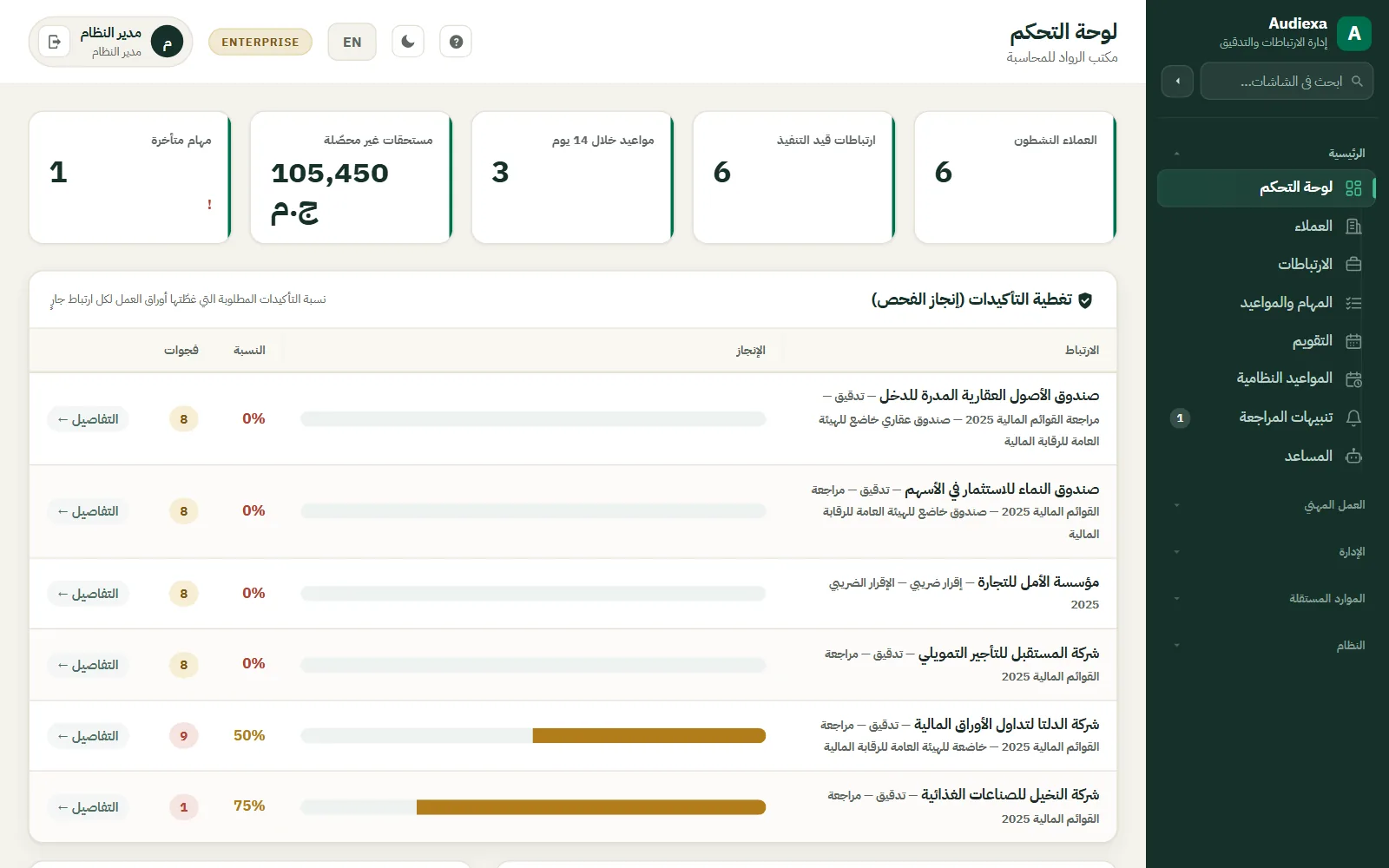
Firm dashboard
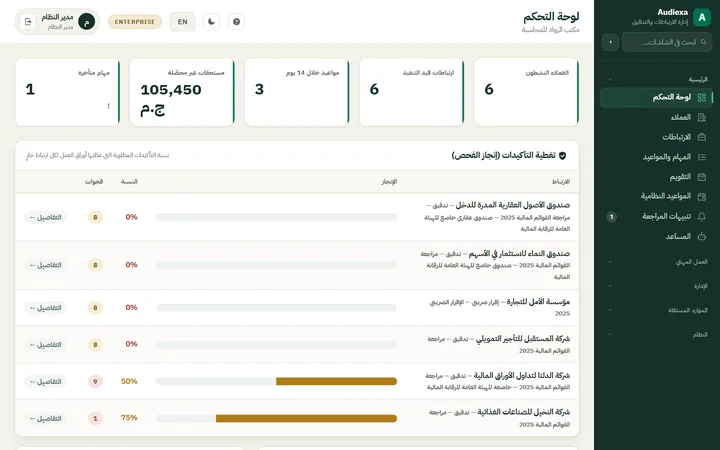
The first screen a partner opens: the whole firm on one page.
- Active clients and engagements in progress
- Deadlines in the next 14 days and overdue tasks
- Uncollected fees
- The share of assertions covered by workpapers on every live engagement
-
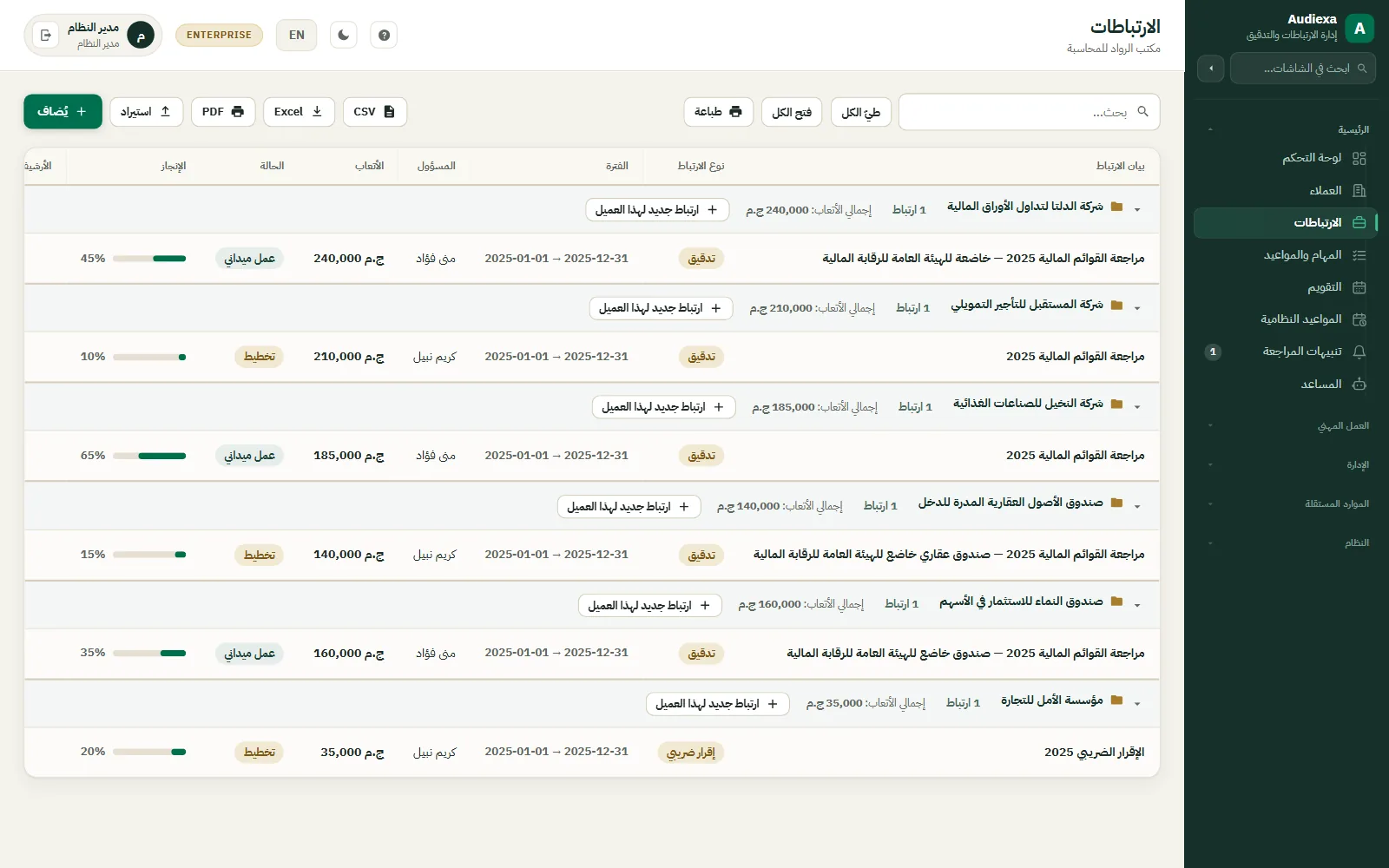
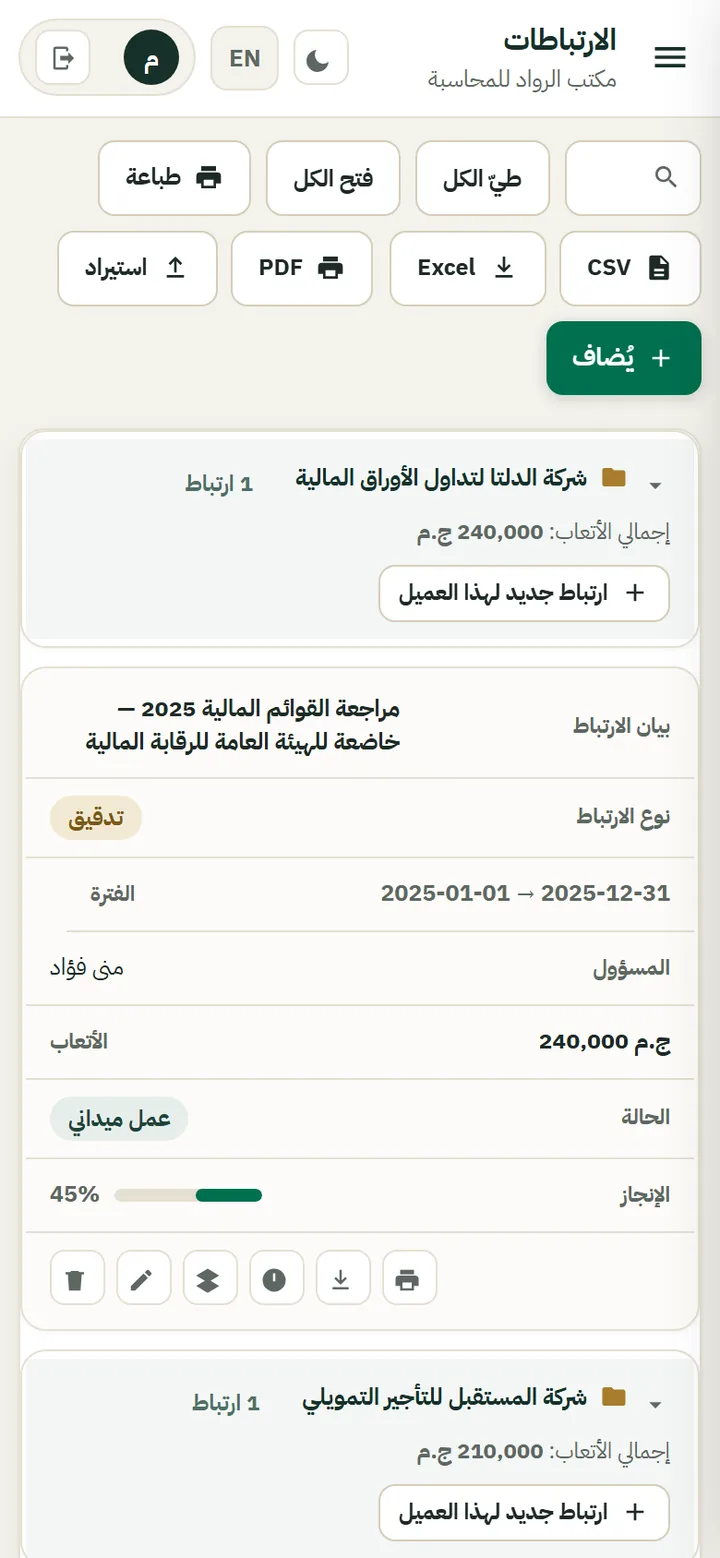
Clients and engagements
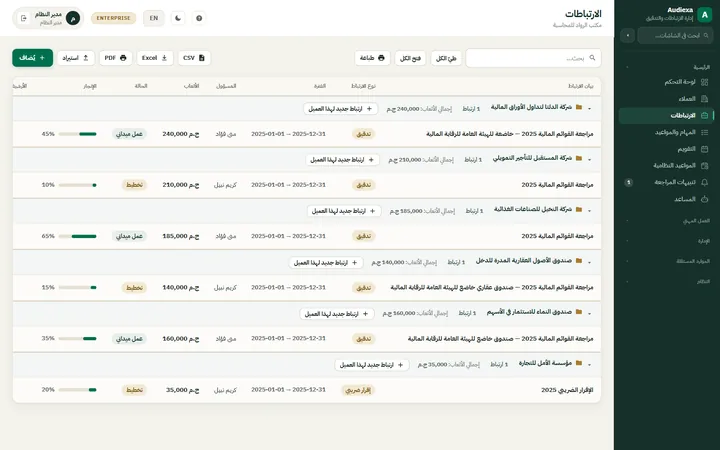
Every engagement has a file: client, service type, period, fee, owner and status, with documented methodology, planning and materiality.
- Audit and limited-review engagements, plus bookkeeping, tax returns and advisory
- Status per engagement: planning, fieldwork, review, done
- Progress visible right in the list
-
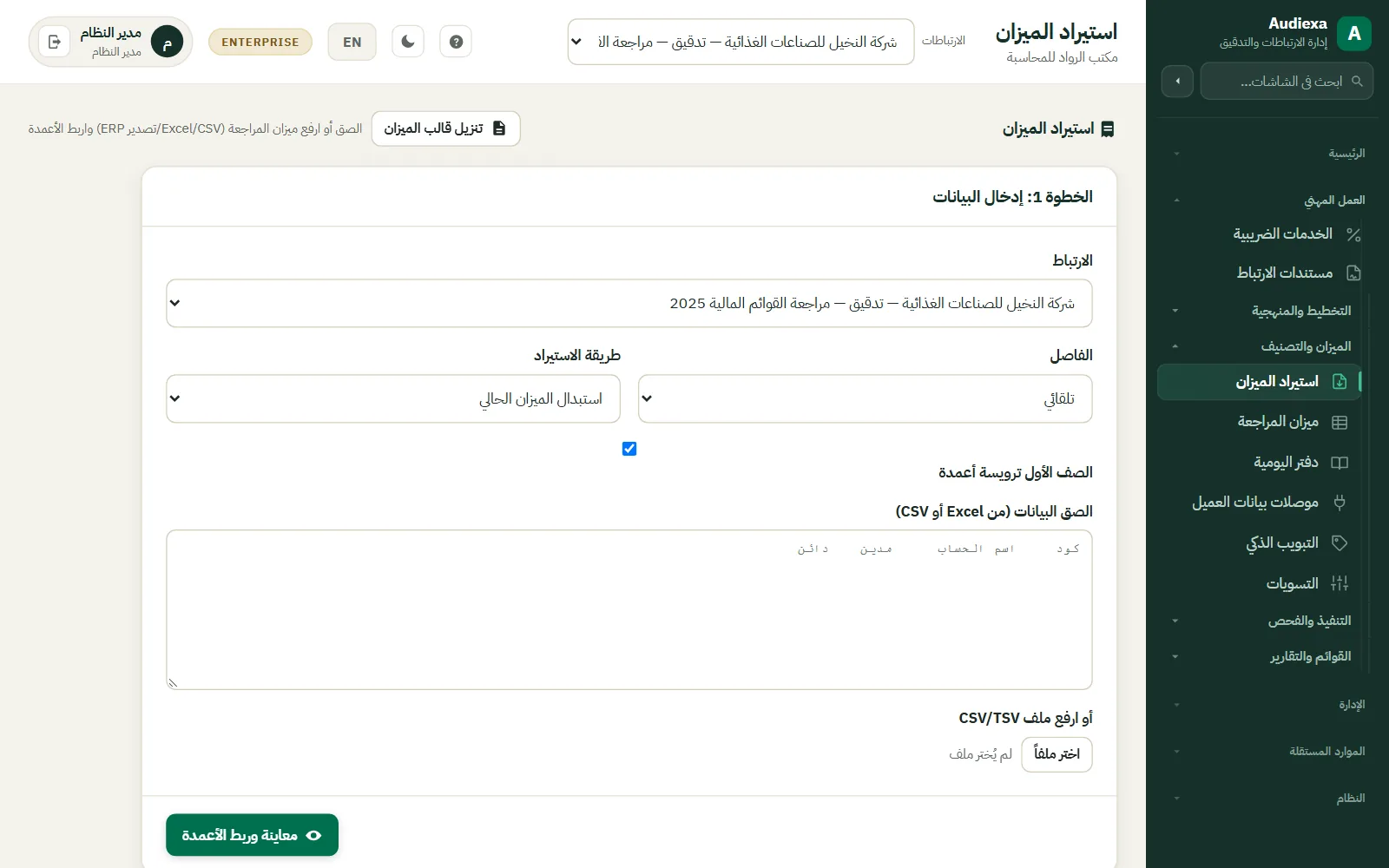
Trial balance import
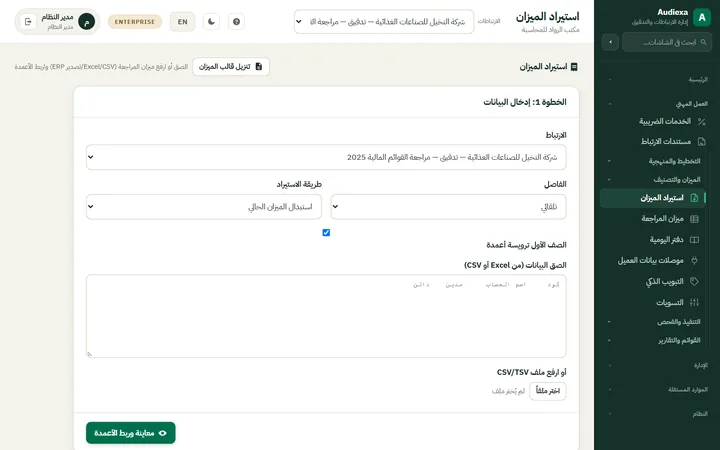
The trial balance comes in from the client's file as it is, with no retyping.
- Paste from Excel or upload a CSV/TSV file
- Preview the column mapping before saving, with a mapper that learns
- A downloadable template, and a TB with prior-year comparatives
-
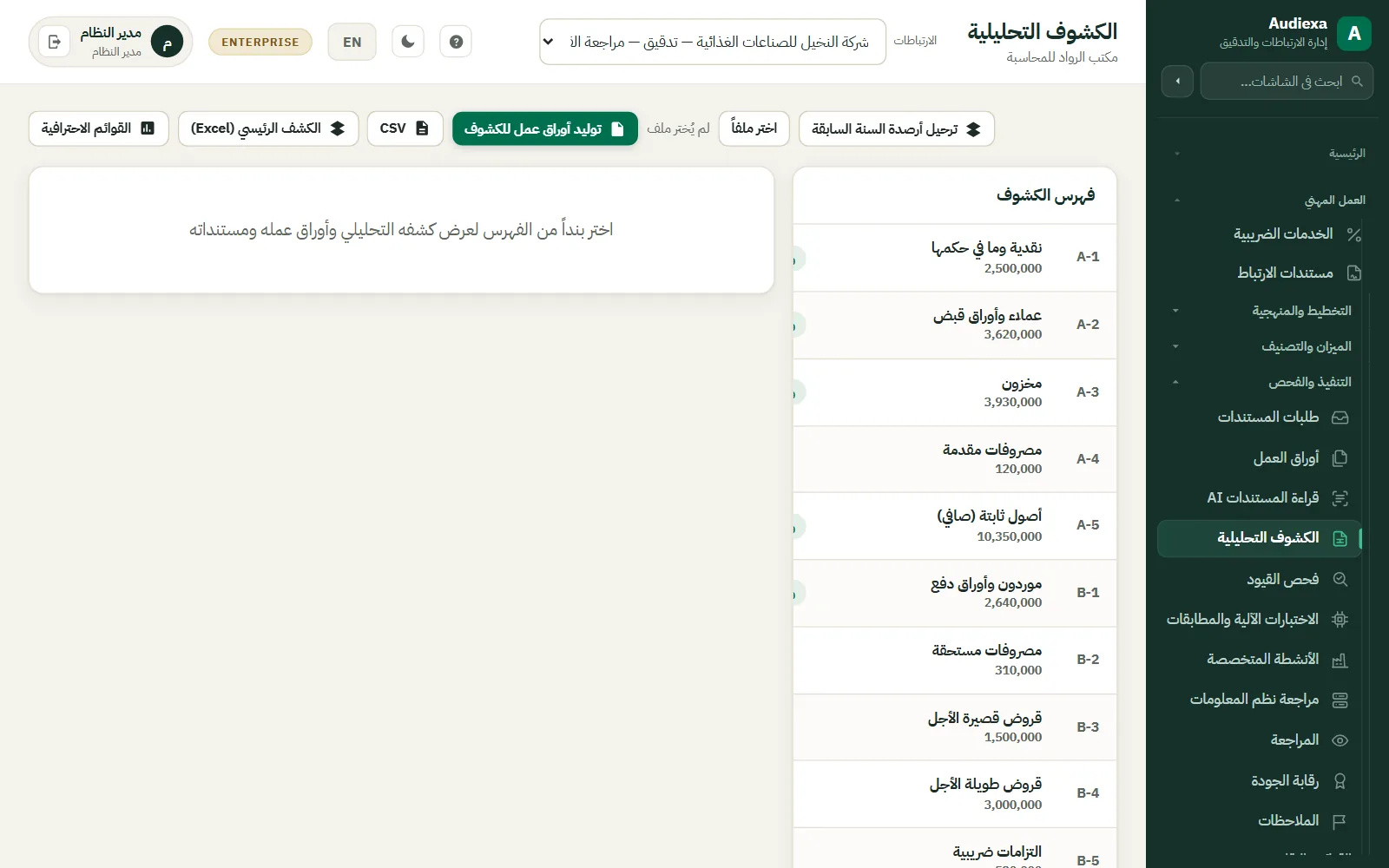
Leadsheets
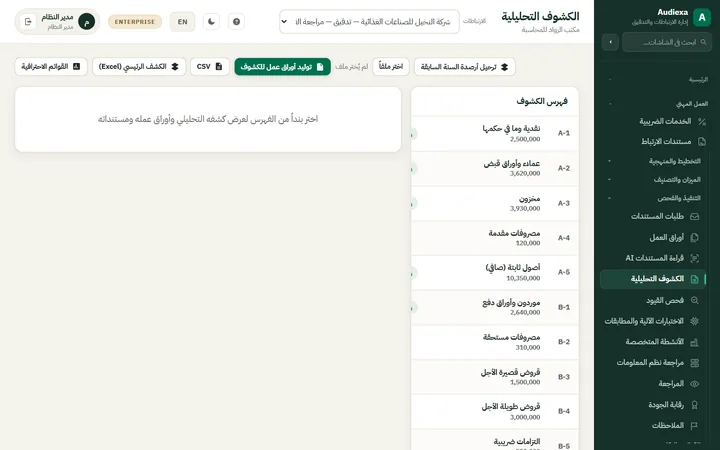
The trial balance is grouped into indexed leadsheets, and the workpapers are generated from them.
- A leadsheet index with balances (current assets, fixed assets, liabilities…)
- Generate the workpapers for the leadsheets in one click
- Carry forward prior-year balances and export the main sheet to Excel
-
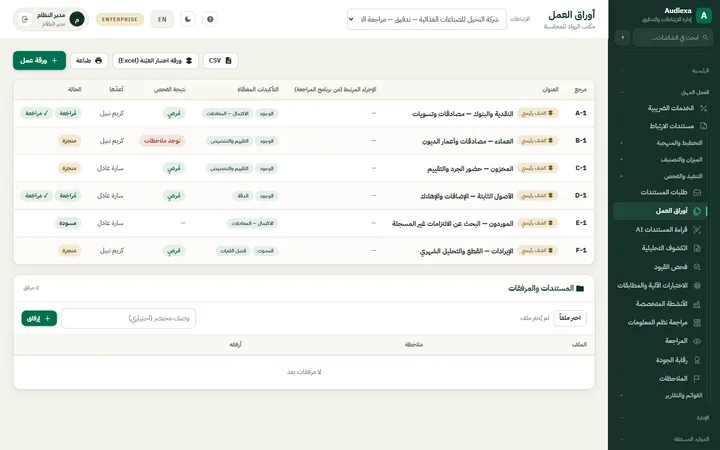
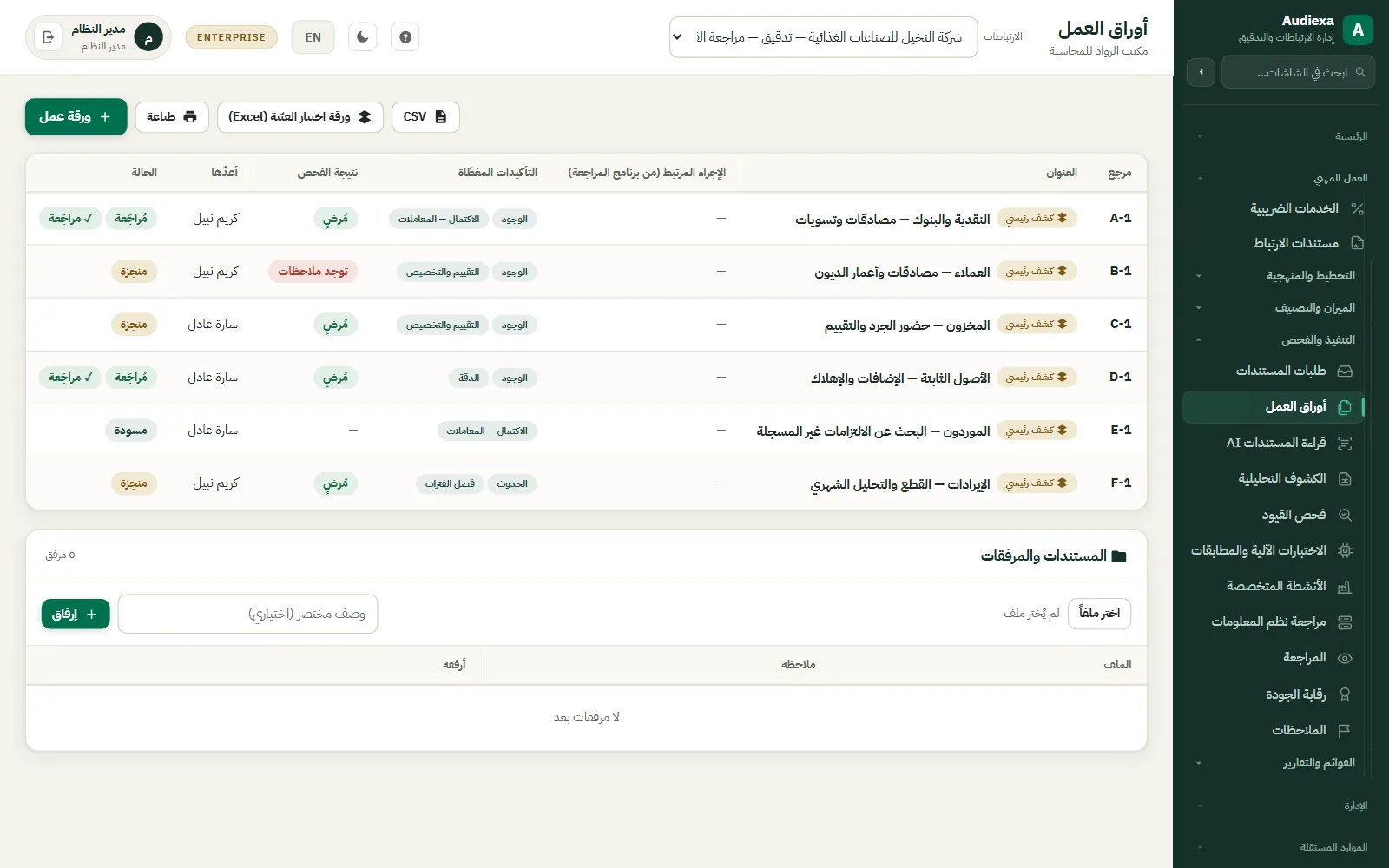
Workpapers and review
Each workpaper is linked to a procedure in the audit program and to the assertions it covers.
- Reference, title, linked procedure and assertions covered on every paper
- An Excel sample-testing sheet and attachments per paper
- A review cycle: preparer, then manager, then partner, through to approval
-
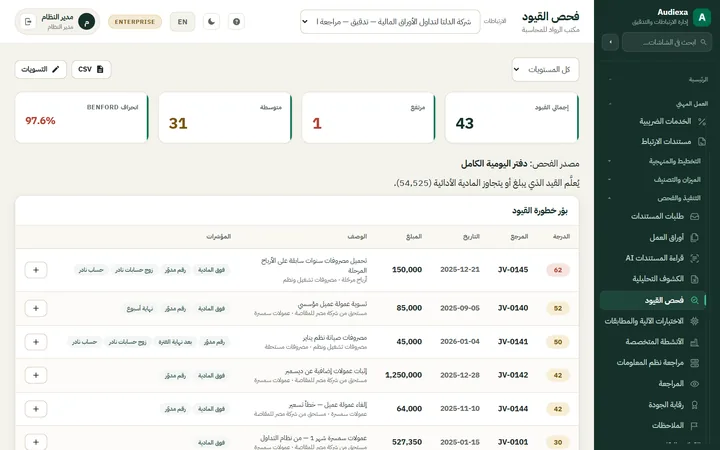
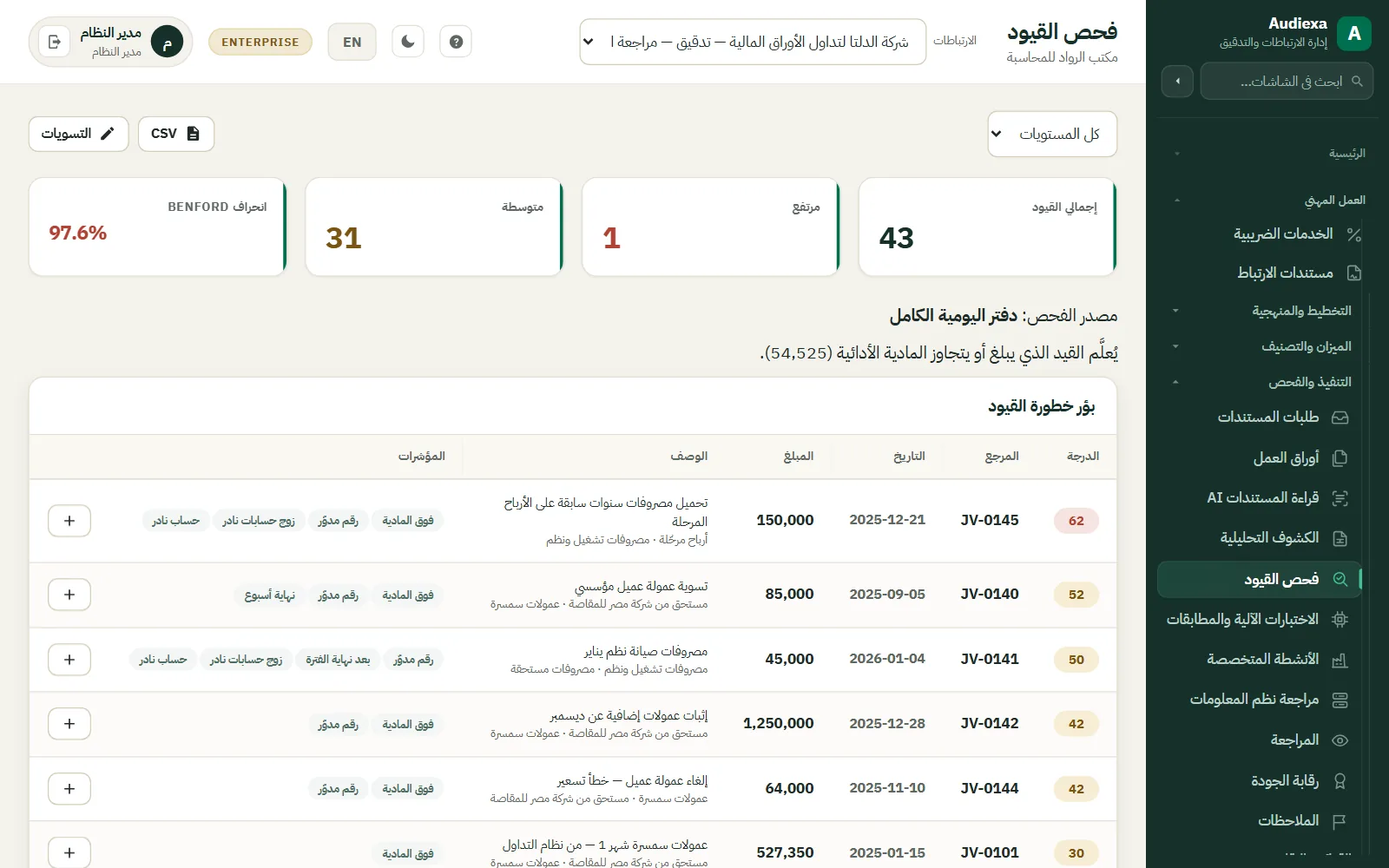
Journal-entry testing (ISA 240)
Test the whole population of journal entries, not a random slice of it.
- Entries ranked by risk score, with indicators such as round amounts and weekend postings
- Benford analysis and CSV export
- Indicators direct the audit effort and never replace the auditor's judgement: the final call is human
-
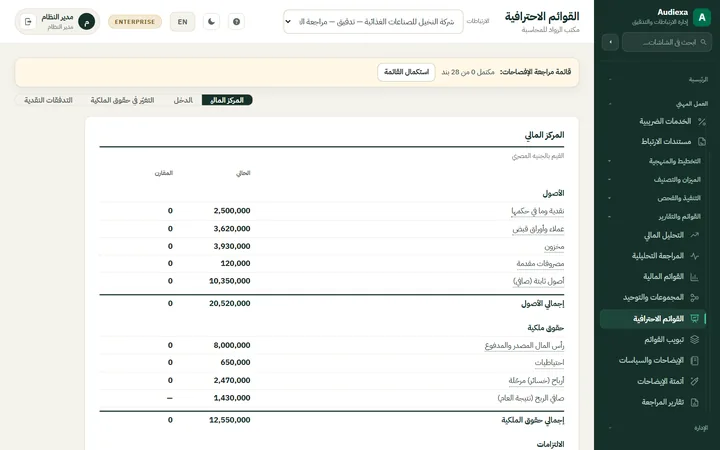
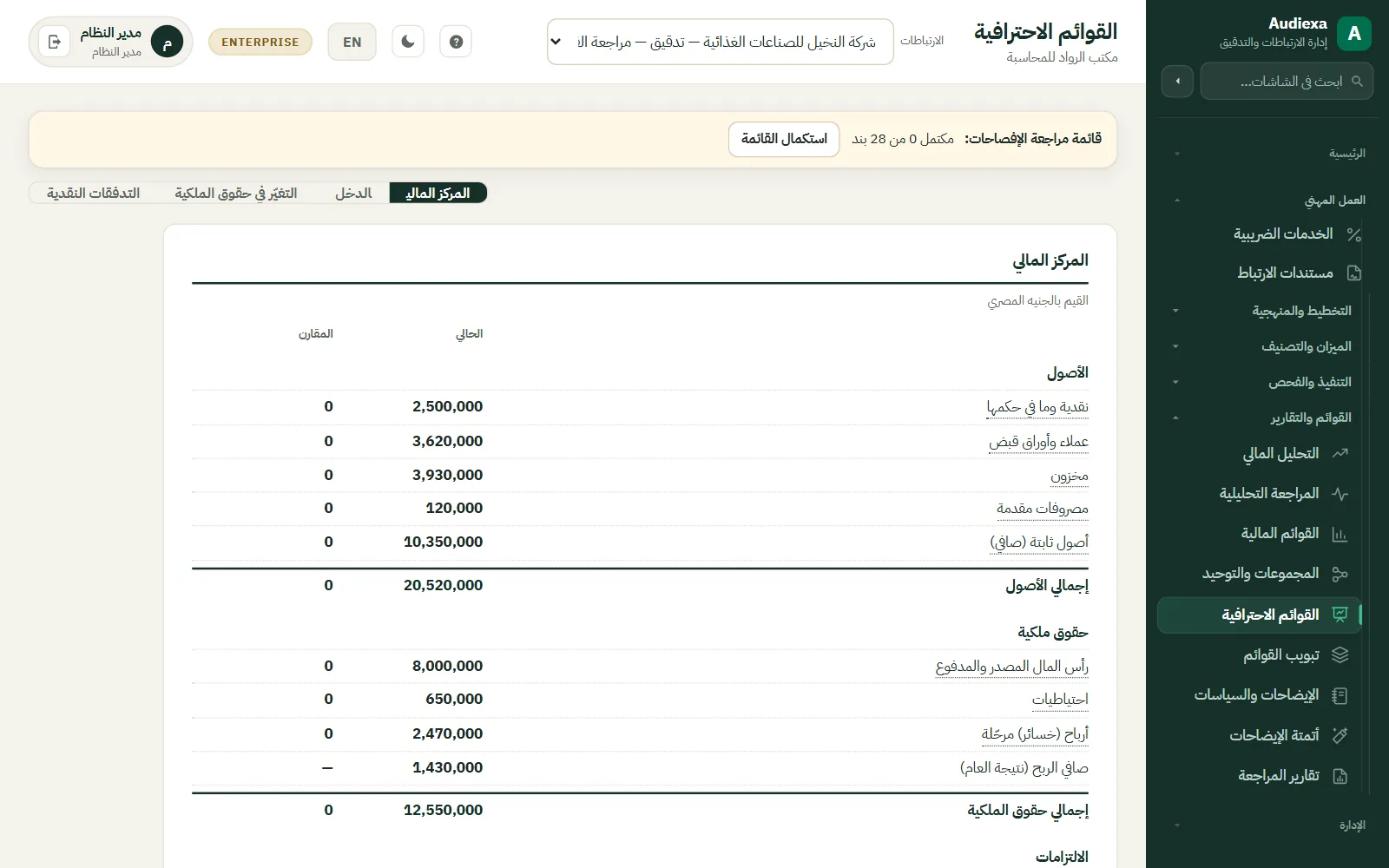
Financial statements and notes
The statements come from the same mapped trial balance, with current and comparative figures.
- Financial position, income, changes in equity, cash flows
- Notes and policies generated from the data
- Audit reports, and group consolidation
-
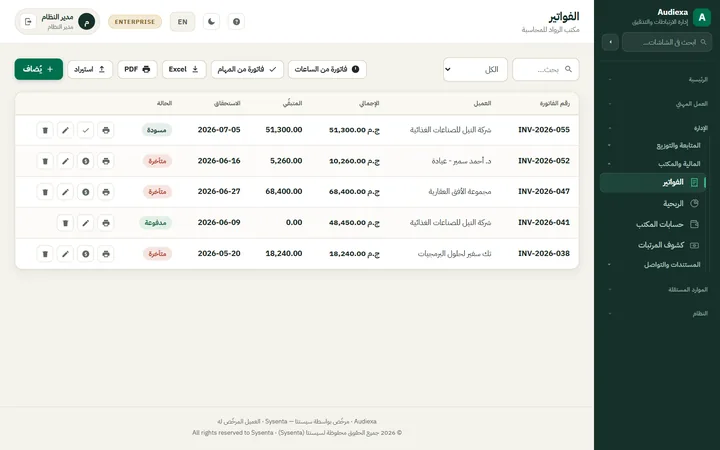
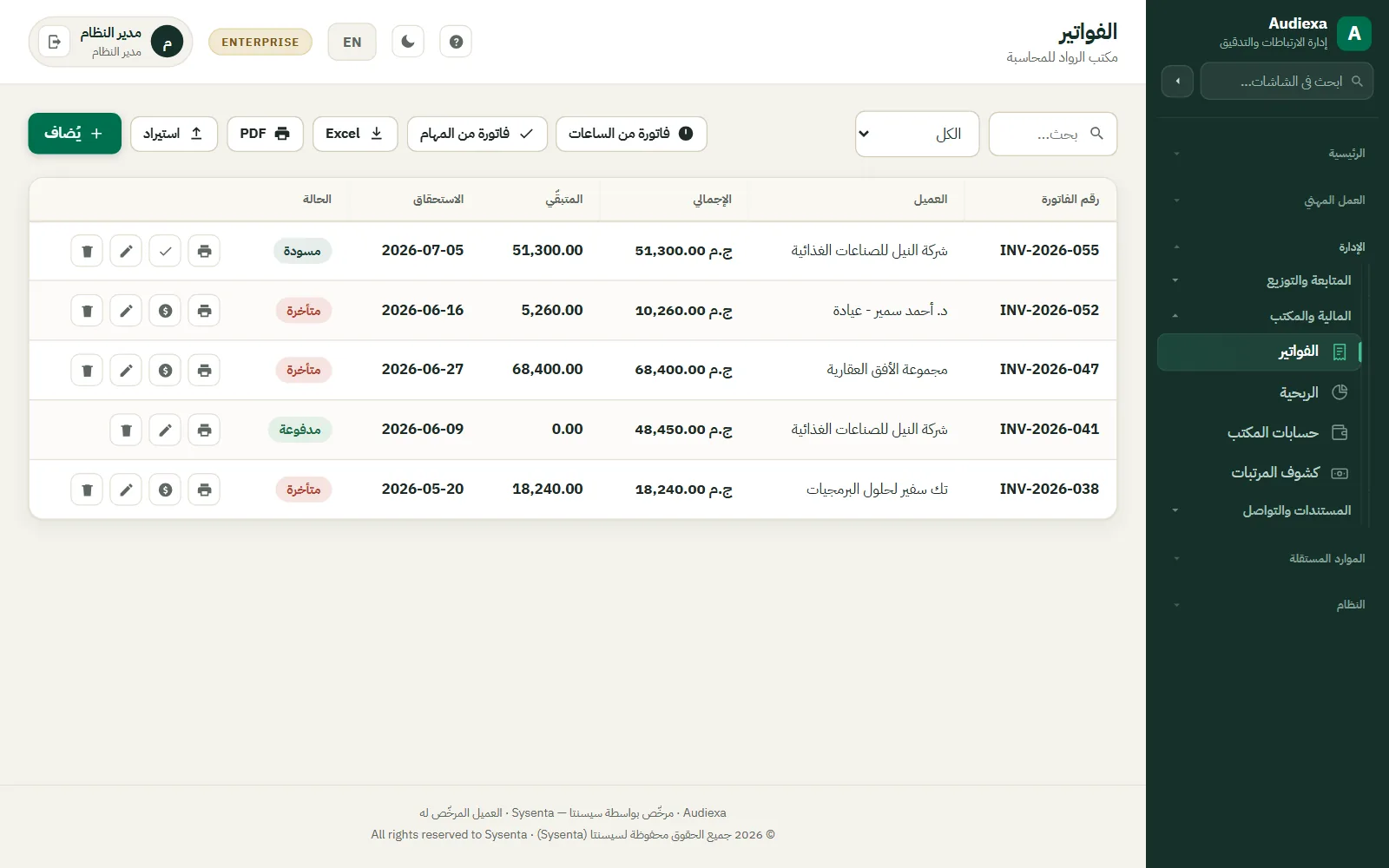
Fees and practice management
Hours and tasks turn into fee invoices, and the firm sees what every client earns it.
- Invoice from hours or from tasks
- Track draft, overdue and paid
- Profitability per client and engagement, and the firm's own accounts
Also in Audiexa
Assertion-linked audit programs
A program library whose steps link to assertions, with visible coverage per engagement.
Quality control
A quality-control stage within execution and testing before the file is closed.
Group consolidation
FX translation, non-controlling interests and verified eliminations, for holding-company clients.
Tasks, deadlines and alerts
A calendar, statutory deadlines and tasks per engagement, plus review alerts.
On a phone
The same interface adapts to a phone screen: the firm dashboard and engagement lists in your pocket.
Try 14 days free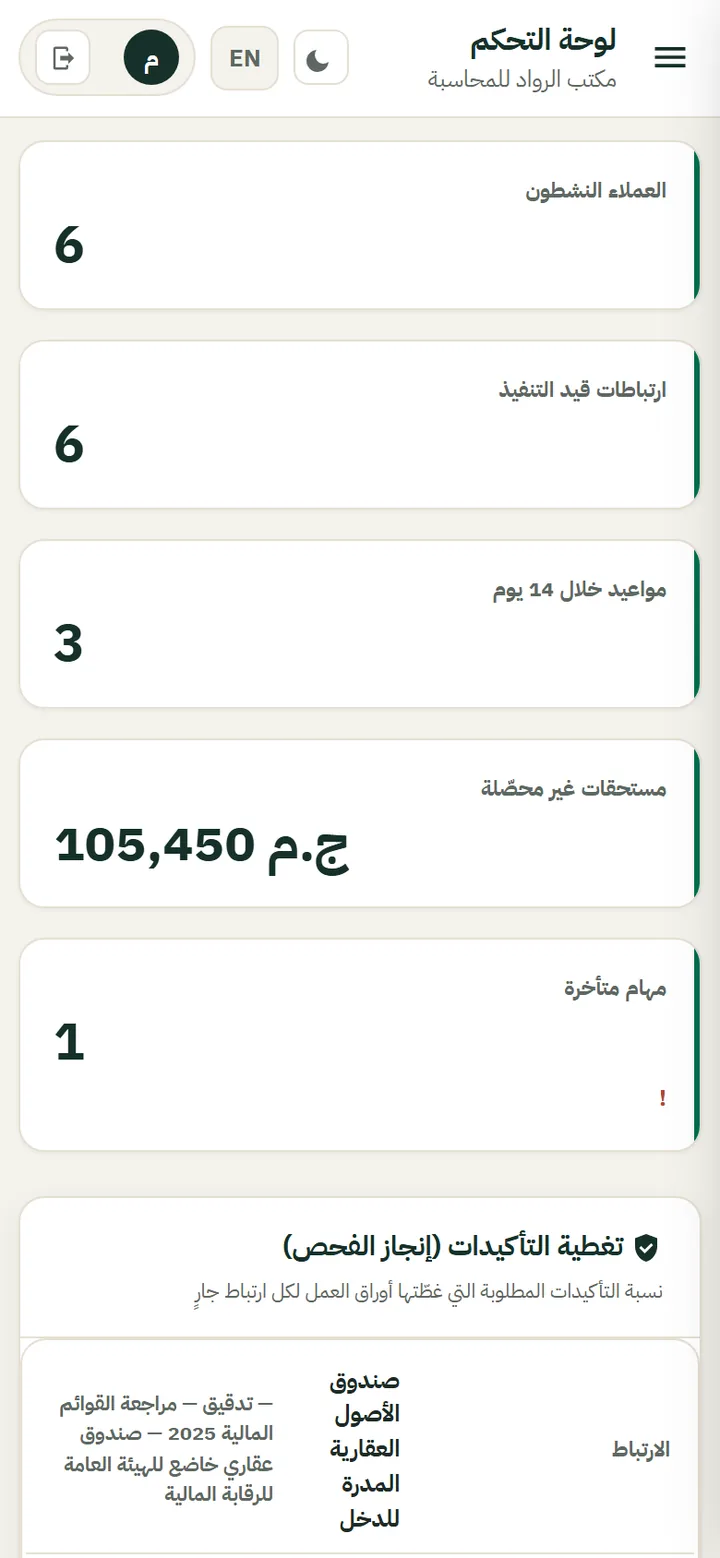
Your first file on Audiexa is free for 14 days.
Try the full system on demo data, or request a quote to buy a perpetual licence for your own hosting.